Screening and Summarizing HuggingFace Daily Papers with an Agent Skill
A daily paper-filtering tool for researchers working on large language models



Motivation
As graduate students, we read a lot of papers every day. But beyond reading the papers themselves, deciding which papers to read is just as time- and energy-consuming.
There is no shortage of tools for analyzing papers, for example:
- AlphaXiv: reads a single paper very systematically.
- papers.cool: built by Su Jianlin; it crawls new arXiv papers daily, uses Kimi to produce Chinese explanations, and lets you keep asking follow-up questions inside Kimi.
These tools go deep on reading a paper, but they share one shortcoming: they do not help with filtering. They can read a given paper in great detail, yet “picking the few worth reading out of the dozens each day” is still on me, and they will not tag papers either. Worse, even when I find a promising paper and want to follow up on its work, I often discover that its GitHub repo is empty, or that there is no link at all — and the effort is wasted.
The sunk cost here is high: when following a paper, I might write code for a long time only to find that some input does not match, or that a reproduction step simply does not work.
So I wanted to build something genuinely useful and actually usable day to day, so that my time goes to the work that matters.
Idea
Requirements
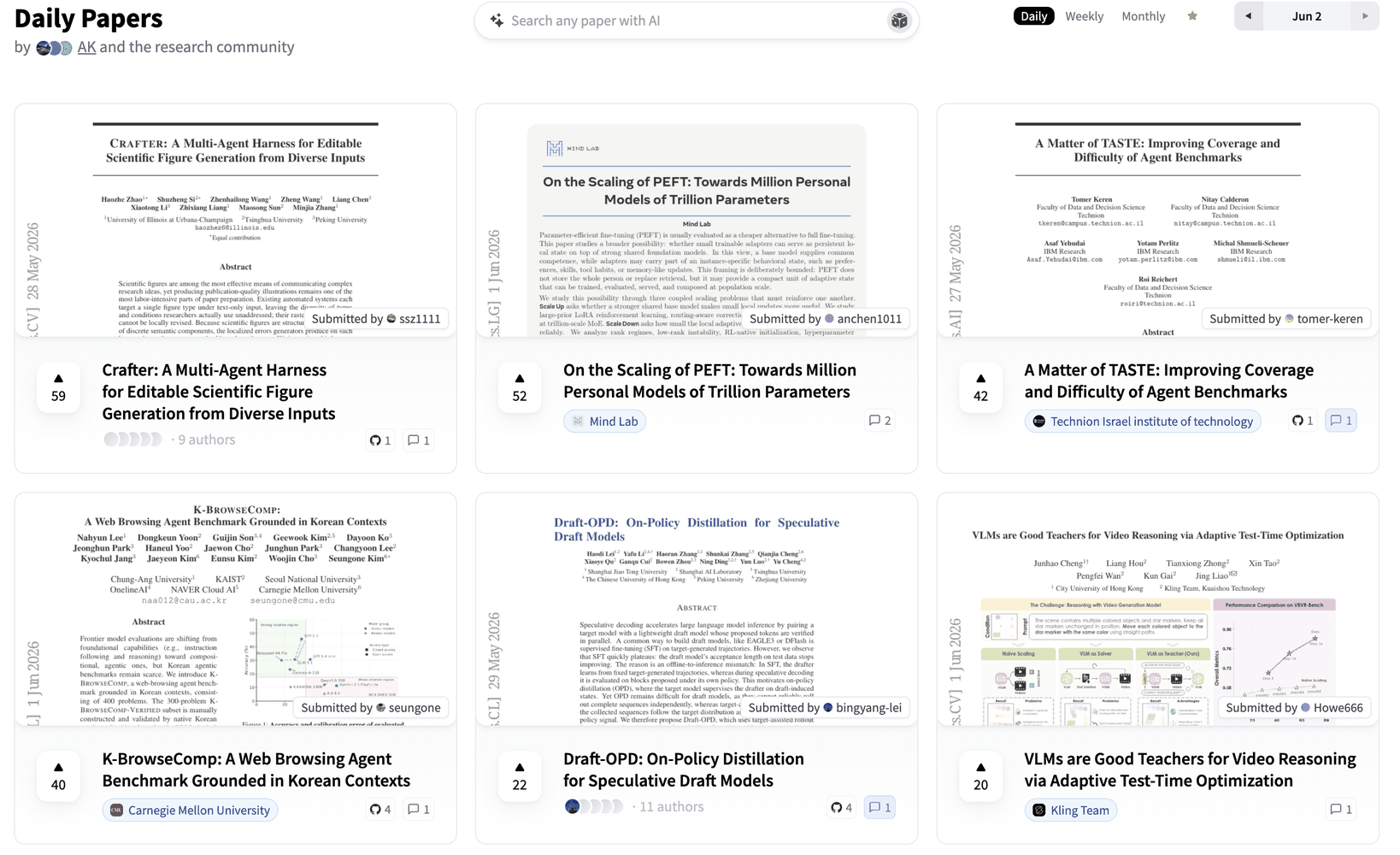
Concretely, I want it to filter the papers in HuggingFace Daily Papers every day, and organize them by category.
Papers in HuggingFace Daily Papers are submitted by the authors themselves. That initiative tends to make daily-paper submissions more complete, more credible, and higher in quality than arXiv at large.
The product needs to do three things:
- Auto-classification: tag every paper.
- Verify a paper’s authenticity and how “easy to follow” it is.
- Auto-generate a paper summary (similar to papers.cool).
Here “easy to follow” is defined as:
- (a) the paper should have a corresponding GitHub repo;
- (b) the code in that repo must be substantial — a repo with only a README, for instance, is hard to reproduce and should be excluded;
- (c) datasets and other resources should be open-sourced as well.
TeX Source vs. PDF
On authenticity and implementation, I had two considerations:
- Authenticity: the publishing institution should be a leading university or lab.
- Pipeline: to keep analysis simple, the Agent should read the paper’s TeX source directly rather than the PDF.
The reason to avoid PDFs is that PDF parsing breaks in all sorts of ways, and string matching is hard (e.g., searching the body for a github.com/ link).
Implementation
Python Pre-filter First, Then Hand Off to the Agent
I want it to crawl automatically every day, so I get the day’s papers effortlessly. The whole thing is two steps: a Python script does a coarse pre-filter first, then an Agent handles judgment and organizing.
For the pre-filter: HuggingFace has a public API, and you can fetch a given day’s list by date, so I wrote a zero-dependency script fetch_hf_papers.py that filters coarsely by keyword rules:
# scripts/fetch_hf_papers.py — call the public HF API directly, no API key needed
url = f"https://huggingface.co/api/daily_papers?date={date_str}"

# Titles matching these keywords → excluded
TITLE_EXCLUDE_KEYWORDS = [
    "benchmark", "benchmarking", "bench",
    "speech", "audio", "video", "3d",
    "compiler", "cuda", "kernel", "triton", "tpu", "xla",
    "quantization", "quantisation", "distillation",
]

# Abstract must match at least one → confirm it is in the LLM/VLM space
ABSTRACT_REQUIRE_ANY = [
    "large language model", "llm", "vision language model", "vlm",
    "multimodal", "reasoning", "reinforcement learning",
    "instruction tuning", "fine-tuning", "alignment", "agent",
    "chain-of-thought", "in-context learning",
]
The standard library (urllib + json) is enough, and no API key is needed. This step narrows dozens of papers down to a dozen or so; the rest is left for the Agent to weigh.
Next comes judging and analyzing the papers. Since today’s models already strike a good balance between instruction-following and cost, I decided not to build much of a harness and to hand full judgment to the Agent instead. To that end, I wrote the requirements up as a Skill.
SKILL Pipeline Design
The SKILL splits each candidate paper into three steps:
Step 1, extract the GitHub link: prefer the githubRepo field from the HF API; if it is empty, search the paper’s arXiv TeX source for github.com/.
Step 2, call the GitHub Contents API to verify whether the repo has substantial code:
API: https://api.github.com/repos/{owner}/{repo}/contents

Keep (any one of):
  - .py / .sh / .ipynb files in the repo root
  - directories such as src / scripts / train / model / code

Drop (any one of):
  - only non-code files like README.md / LICENSE / assets
  - API returns 404 (repo missing or empty)
  - repo name / description contains "coming-soon"
Step 3, write a Chinese summary that is understandable at a glance, then assign tags from a fixed set so that papers can be filtered:
RL · Fine-tuning · Training-free · Long-context · VLM · MeM (Agent Memory) · API · Diffusion
Finally it lands as one JSON record:
{
  "date": "2026-03-12",
  "title": "Prism-Δ: Differential Subspace Steering for Prompt Highlighting in Large Language Models",
  "arxiv_id": "2603.10705",
  "github": "https://github.com/YuyaoGe/PRISM-DELTA",
  "abstract": "PRISM-Δ is a prompt-highlighting method that makes an LLM prioritize user-specified text spans during generation. The core idea is to decompose the difference between the positive and negative cross-covariance matrices to maximize discriminative energy and eliminate shared directions; each attention head gets a continuous softplus importance weight (weak-but-useful heads contribute at reduced strength), and the method is extended to the Value representation to capture content-channel signals. Across 4 benchmarks and 5 models, PRISM-Δ matches or surpasses the best existing methods in 19 of 20 configurations, with relative gains up to +10.6%, fluency loss halved, and up to +4.8% relative gain in long-context retrieval.",
  "tags": ["Training-free"]
}
Harness Engineering Design
With the SKILL in place, the next question is the calling relationship between the Agent (or Subagent) and the SKILL.
There are two choices:
- Master–worker: one master Agent dispatches multiple sub-Agents.
- Parallel: spin up an independent Agent for each day.
For master–worker, I implemented it with OpenClaw, capping sub-agents at 5.
Timeouts, however, kept happening. When I asked Claw to survey ten days of papers, it would indeed launch several sub-agents, but timeouts and context overruns came up constantly — the whole thing was extremely unstable.
So I went with the latter option: one independent Agent per day, running in parallel, each writing its own JSON, with a main program merging them at the end. One paper list per day — and as it turns out, the simpler the setup, the more stable it is.
Parallelism is just xargs -P:
# backfill_papers.sh — batch-backfill historical dates, default concurrency 6
printf '%s\n' "${MISSING[@]}" \
  | xargs -P "$CONCURRENCY" -I{} bash "$SCRIPT_DIR/run_kimi_one_day.sh" {} "$PAPER_READER_DIR"
The merge script merge_batches.py also only does deterministic work: scan paper_batches/*.json, skip dates already present, and append the missing ones in date order.
Choosing the Agent Framework
There is one hard requirement for the Agent: it must launch non-interactively from the command line, rather than requiring manual operation inside a terminal.
For example:
- Cursor & Claude Code: require a GUI or terminal interaction.
- Kimi CLI: lets you pass the prompt as an argument to the launch command — easy to invoke, and Kimi is cheap.
So processing a single day is one line:
# run_kimi_one_day.sh — process a single day with Kimi CLI, write the batch JSON
kimi --print --quiet \
  --work-dir "$PAPER_READER_DIR" \
  --add-dir /Users/yuyaoge/Project/Paper_Agent_Skill \
  -p "$PROMPT" \
  > "$LOG_FILE" 2>&1
Even so, the workflow still has to be started manually each day, and the point is for it to run invisibly. So the next piece is an auto-start script tailored to macOS.
Auto-start Script on macOS
The auto-start uses macOS launchd, configured via com.yuyaoge.paper-daily-fetch.plist:
<!-- Run once at login / load -->
<key>RunAtLoad</key>
<true/>

<!-- Then run again every 2 hours -->
<key>StartInterval</key>
<integer>7200</integer>
Two features in daily_fetch.sh are worth mentioning:
It does not process today’s papers: HuggingFace updates the same-day list in real time as authors submit, so crawling today would miss papers submitted later in the day. By default it grabs the seven days ending yesterday rather than today, which conveniently backfills any days the machine was off.
Idempotency: it should not rely on a fixed daily trigger, since there is no guarantee the machine is on at that moment. So it runs every 2 hours after boot — skipping a day that already has results, but running once more when the result is empty; and if git shows no changes, it does not push.
Quick Start
Requirements: macOS, Python 3, and an installed and logged-in Kimi CLI.
1. Clone the repos
git clone https://github.com/YuyaoGe/Paper_Agent_Skill.git   # Skill + scripts
git clone https://github.com/YuyaoGe/paper_reader.git        # data + frontend
2. Install the Skill into Kimi
cd Paper_Agent_Skill
mkdir -p ~/.kimi/skills
ln -sfn "$PWD" ~/.kimi/skills/hf-paper-filter
3. Verify the pipeline manually
# run_kimi_one_day.sh YYYY-MM-DD [paper_reader path]
./scripts/run_kimi_one_day.sh 2026-06-01 /path/to/paper_reader
4. (Optional) Backfill a historical range
# backfill_papers.sh START_DATE END_DATE [CONCURRENCY] [paper_reader path]
./scripts/backfill_papers.sh 2026-04-25 2026-05-26 6 /path/to/paper_reader
python3 ./scripts/merge_batches.py /path/to/paper_reader
5. Install the scheduled job for unattended runs
cp scripts/com.yuyaoge.paper-daily-fetch.plist ~/Library/LaunchAgents/
launchctl load -w ~/Library/LaunchAgents/com.yuyaoge.paper-daily-fetch.plist
Frontend
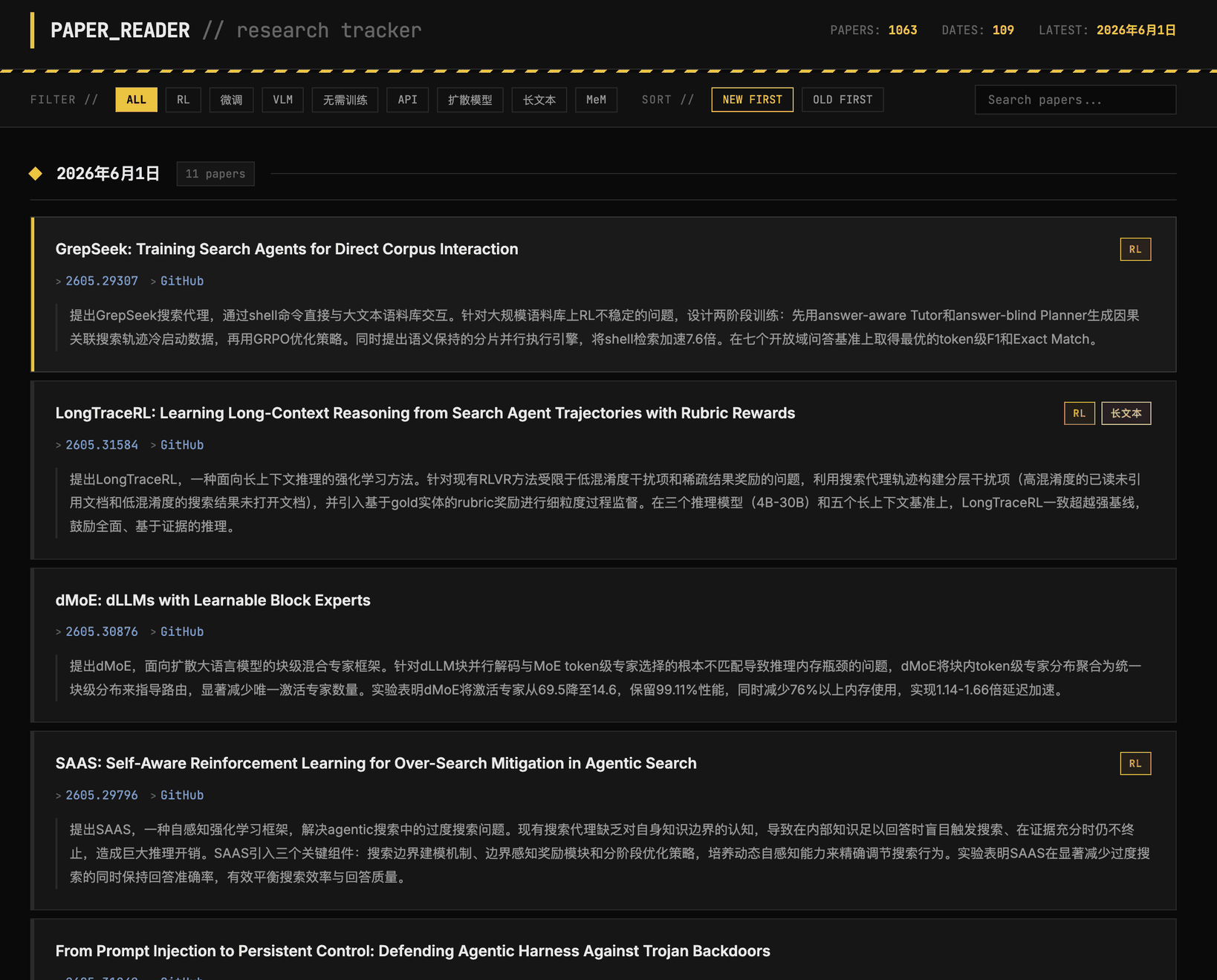
The final list is aggregated into paper_list.md, so the Agent can easily append to the end of the file and the frontend can easily parse it.
The frontend is designed as a pure static page: at runtime it pulls the Markdown down and parses it into cards, supporting filtering by tag and search by date:
// The frontend fetches the Markdown data source and parses it at runtime
const resp = await fetch('paper_list.md');
// Each entry: - **Title** `[Tag]` — [id](url) | [GitHub](url)
//             > Chinese summary
currentPapers.push({ title, tags, links, desc });
It is hosted on GitHub Pages; the scheduled script pushes the updated paper_list.md to the cloud every day, and the page updates in sync.
Overall Pipeline
Putting it all together, the full pipeline is:
   macOS launchd ──▶ daily_fetch.sh (every 2h, idempotent)
                          │  split by day, run in parallel
                          ▼
        run_kimi_one_day.sh × N  (xargs -P 6)
          └─ Kimi CLI loads the hf-paper-filter Skill
             ├─ fetch_hf_papers.py  Python pre-filter
             ├─ GitHub Contents API verify code presence
             └─ write Chinese summary + tags
                          │  one JSON per day
                          ▼
              paper_batches/YYYY-MM-DD.json
                          │  merged by merge_batches.py
                          ▼
              paper_list.md ──git push──▶ GitHub Pages (frontend fetch + render)
The pieces involved are all pretty ordinary: the Python standard library for the pre-filter, Kimi CLI for judgment, xargs -P for parallelism, launchd for scheduling, a single paper_list.md as the data source, and a static page for display.